Smartdocking: A spatial constraint on smartphone use

If you think about it, the humble keyrack is a true champion of strategic design. The first object I see when walking through the front door, it is both a tool and source of information. The empty hook reserved for my house keys is a subtle reminder to deposit them in their resting place before I forget which coat pocket they’re hiding out in. The other keys, hanging—or not—in their standard spots on the keyrack, wordlessly indicate who else is home. Most importantly, when I leave my home, the keyrack reminds me via its sheer presence: take your key!—something I really only need outside the home.
After years of struggling to find my key while running out the door, I finally hung a keyrack late last year, and have been basking in its convenience ever since. It got me thinking, what if such a station were to exist for another tool I only need outside the home—my smartphone?
THE PROBLEM
The problem with schlepping around a smartphone in my pocket all day, is that just like that keyrack, it's also wordlessly reminding me of something: the availability of the internet in my pocket. What was the name of that actress? Just google it. How much is an apartment in Copenhagen? Google it. The smartphone continually offers an extremely easy fix to the chronic boredom lingering at the edge of our attention spans: Checking the news, social media, your email, etc. Just the act of mind-wandering can unintentionally pull you into the digital vortex of a touchscreen interface.
Given these downsides, I've often fantasized about switching over to a “dumphone,” until I think through the practicalities. Namely that for myself and many others, smartphones play an essential role in everyday life outside of the home. I rely on mine to find alternative routes when a bus is cancelled, to buy bread from the café that (annoyingly) requires payment by QR code, or to look up the concert tickets that were sent to me by email.1 A smartphone is a computer in our pockets. And for better or for worse, in today’s tech-enabled world that’s something we often need, but only when we don’t have access to an actual desktop computer.
And once I'm home, my smartphone grows superfluous. I prefer to check my email and respond to messages via the comfort of a computer interface. It's more ergonomic and affords me the boundary of "the computer room.”2 When I'm done, I can close out that task and shift my attention to tangible activities around the home, like cooking, reading, or a conversation. That is, until the phone in my pocket alerts me that a friend has thumbs-upped my signal message. And before I know it, I'm unsubscribing from an email newsletter or exploring restaurants on Google Maps. Being "off" social media isn't enough to protect me from the digital rabbit hole in my pocket.
So for those of us unwilling—or arguably, unable—to cut our smartphones cold turkey, what if there were at least a way to cast them aside in our domestic spaces? Is it too much to dream of an elegant form of infrastructural design that fosters spatial and temporal constraints on when and how one accesses the internet? Which is to say, what if, upon walking in the front door, I didn't just hang up my keys, but also my smartphone?
THE (IDEAL) SOLUTION: PHONE DOCKING
In my proposed smartphone home docking system aka "smartdocking," a wall-mounted docking station awaits you at the entrance to your home. Just like a keyrack, it promotes habit formation: when you first come through the front door, this station makes easy and automatic to deposit your smartphone on the wall, depositing it in its domestic resting place.
 Close up of the docking station in cover image.
Once docked, your smartphone is now “locked” to the station, only to be “unlocked” by password when you leave your home (or otherwise need it). This serves as both an external and personal security measure: The locking eliminates the risk of phone theft by a stranger at your door as well as the privacy risk of snooping by nosey guests or children. Simultaneously, it poses a personal barrier to mindlessly grabbing it when you feel too lazy to walk over to your computer. While locked, all notifications are silenced, and your phone goes into a charge-and-sleep mode, perhaps only displaying the time or weather.
Visually, the phones on the docking station serve as a dual cue to both housemates and guests when they walk through the front door. It indicates (to the inhabitants) who else is home. And to visitors, it indicates your smartphone-free household culture. Maybe they will even be inspired to leave their phones in their coat pockets. The docking station’s modular design allows you to easily add a spot for an additional device whenever a new smartphone user joins (or comes of age) in your household, and remove it when someone leaves or goes smartphone-free.
But even while docked, your smartphone does not cease to connect you to the outside world. (It just helps you choose how and when to engage with that connectedness.) First of all, the station is connected to a home-wide network of “landline phones.” All personal phone calls are directed from your phone to the landlines. Each household member has a unique ringtone and/or indicator light, so you know whether the ringing phone call is for you or someone else. Smart calling features like caller ID, or do-not-disturb mode, could be integrated into the “landline” phones as desired.
 Mock-up of the landline phone for a household smartdocking system. Image edited by author using open-source photography by Yuliya Valentin3 and Tao Yuan4.
Secondly, the phone’s text message features are still accessible, but only via one or more physical stations with a screen and keypad. These stations are not equipped with internet browser access. Rather, they allow a user to log onto their own phone’s messaging interface(s) via password or fingerprint (for privacy). Once logged on, they provide a contained location to respond to messages, without the risk of being sucked into checking social media, email, the news, etc. If desired, a color-coded light could indicate if there are new messages from key contacts waiting for you, to reduce the need to log on if no messages are available.
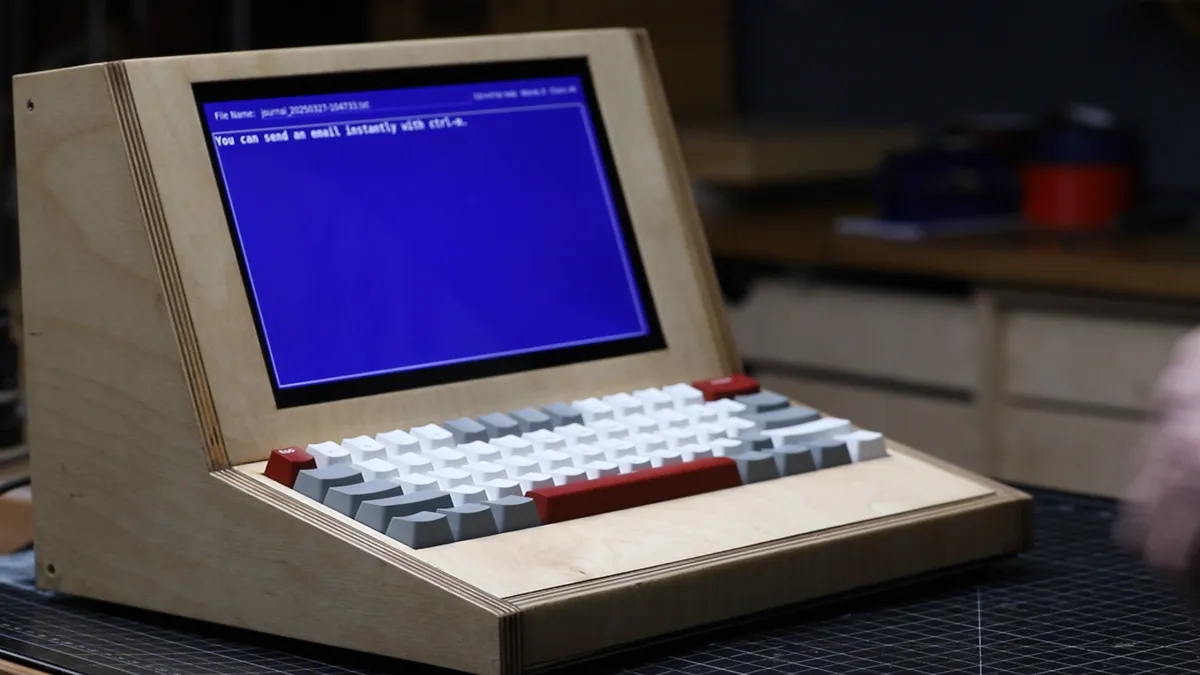 Such a texting station could look similar to Darbin Orvar’s “Cyber Writer," pictured here.5
Like the docking station itself, these home-wide communication integration features not only shape your behavior as user, but also that of your outside communication community. Close family and friends will learn that calling is a better way to reach you for time-sensitive inquiries, and that text message will receive a slower reply. In a way, texts will become the new email, while good old-fashioned voice-to-voice, screen-free phone calls are liable to become a greater part of your communication diet.
MY (JERRY-RIGGED) PILOT: PHONE SWITCHING
Regrettably, since I’m not a designer at Apple or experienced hacker-engineer, my attempts to pilot such a system are currently limited to jerry-rigged approximations of this ideal design. Nonetheless, I sought out a way to replicate each of the 4 key components of the envisioned system:
- "Docking Station": For my scaled-down pilot, I purchased a bowl with an integrated iPhone charger to place on a shelf at the entrance to my home, right next to the hanging keyrack. (I got the VÄSTMÄRKE bowl from IKEA, but a dedicated bowl and a charger would also suffice.) This bowl would be the home for my smartphone when I come home, while ensuring it would be fully charged for use outside home.
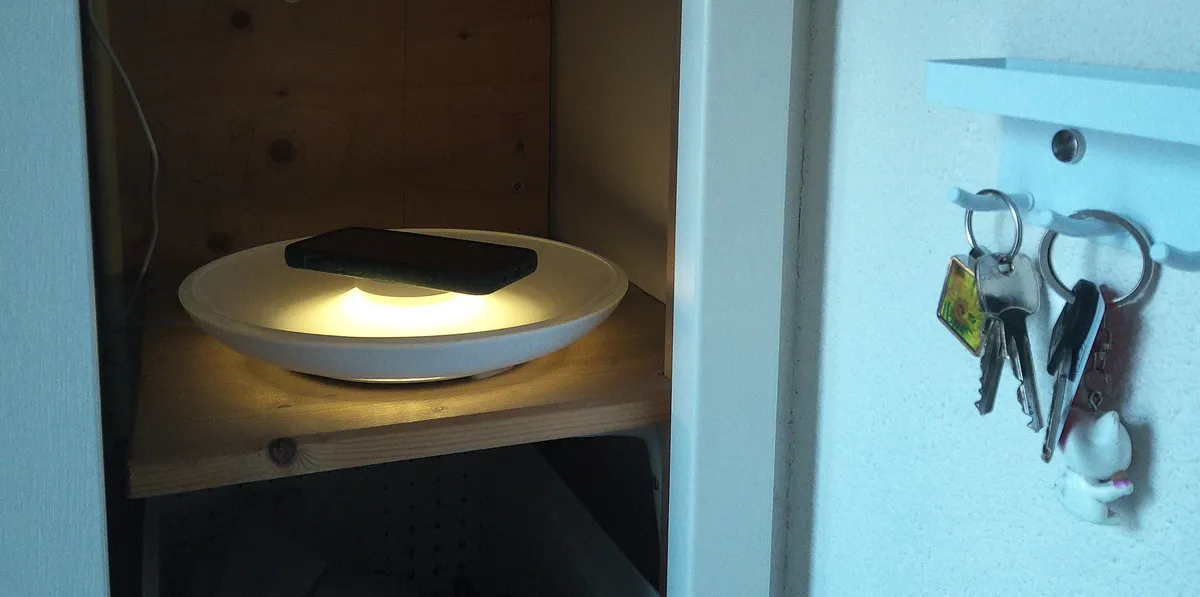 IKEA bowl as an approximation of the "docking station."
- "Landline phones": I also purchased a second phone for at-home use, an extremely low-feature cellphone, which I will refer to as the “home-phone”. (I went with the AGM M9 due to it’s lack of any distracting apps, but any “dumbphone” would do.) The purpose of the home-phone is to serve as a surrogate landline to keep on my person. (Note: In the original design, various handheld phones would be placed around the home, eliminating the need to keep one on your person at all time.) When I leave my home, I plan to place the home-phone in the “docking station” bowl when I switch over to my smartphone, ensuring it will be easily accessible to switch back to upon my return.
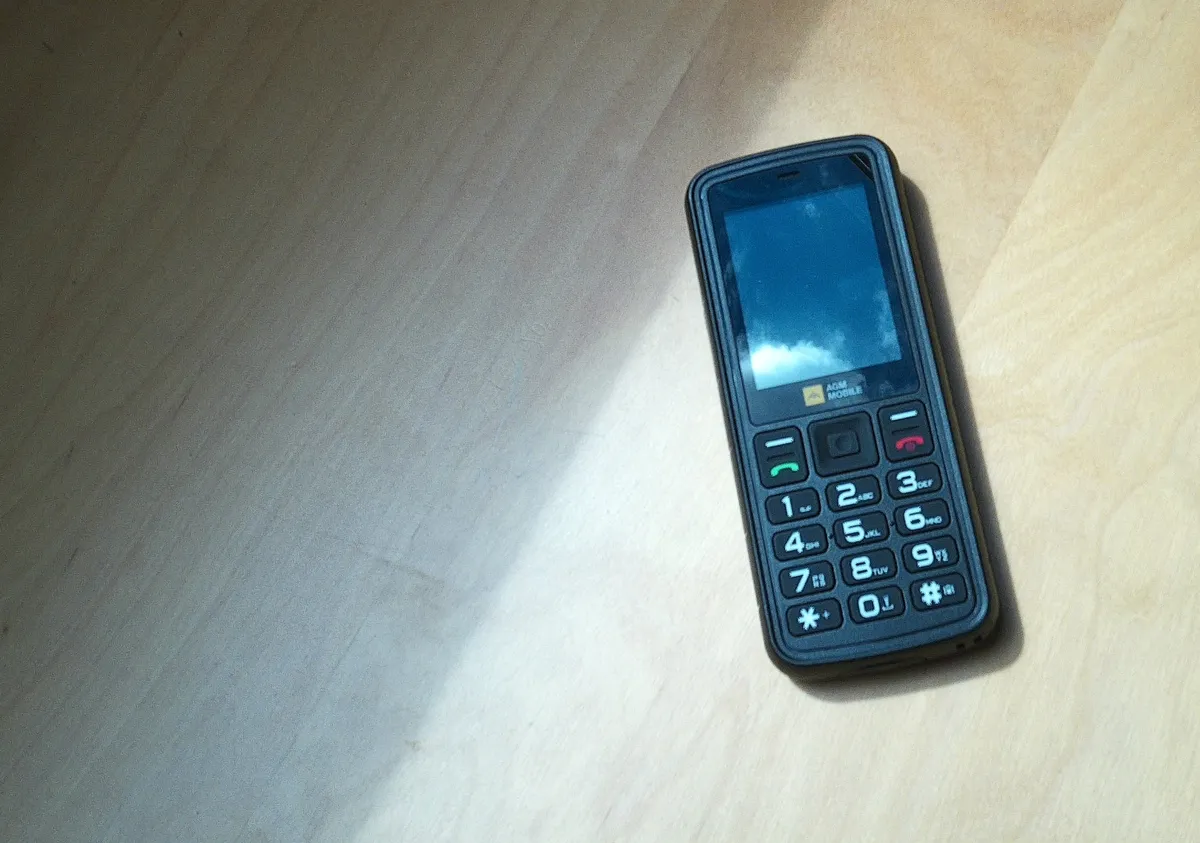 AGM M9 as an approximation of the "landline phone."
"Texting stations": As an alternative to the texting stations, I downloaded the desktop app versions of Signal, WhatsApp, and iMessage onto my laptop, which (as much as possible) lives on the desk. While I still run the risk of getting distracted by other things on my computer when I open it to respond to text messages, at least I can only do this at my desk, at the specific times I choose to go there, rather than while using the bathroom, trying to take a nap, or making food.
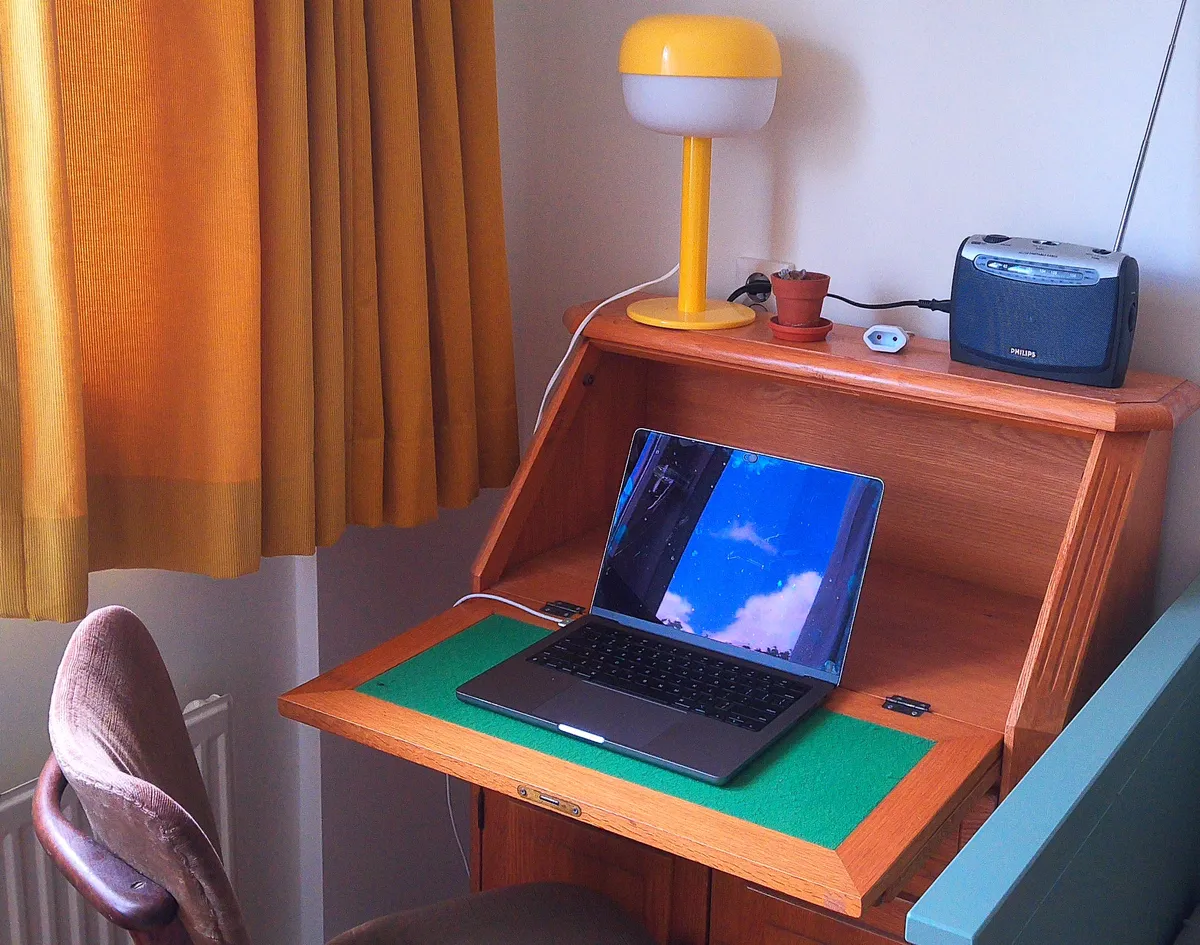 Laptop-on-desk as an approximation of the "texting station."
Unfortunately I can receive SMS messages only on my home-phone; there is no desktop alternative. However, I hope that the constraint of an annoying 3x4 numeric keypad will disincentivize extensive SMS conversations on the phone itself — ideally those would be reserved for my “texting station” (ie, laptop)."System integration": Finally, to integrate the two phone systems, I switched my cellphone SIM to a phone provider that allows me to have a second SIM card. (I chose a plan with unlimited phone call time, based on the expectation that this new system will result in more phone calls.) According to the provider, it is necessary to always keep one phone off, which means the entryway phone swap will require a shutdown/boot-up step. (However I suspect that switching on/off airplane mode may also suffice.)
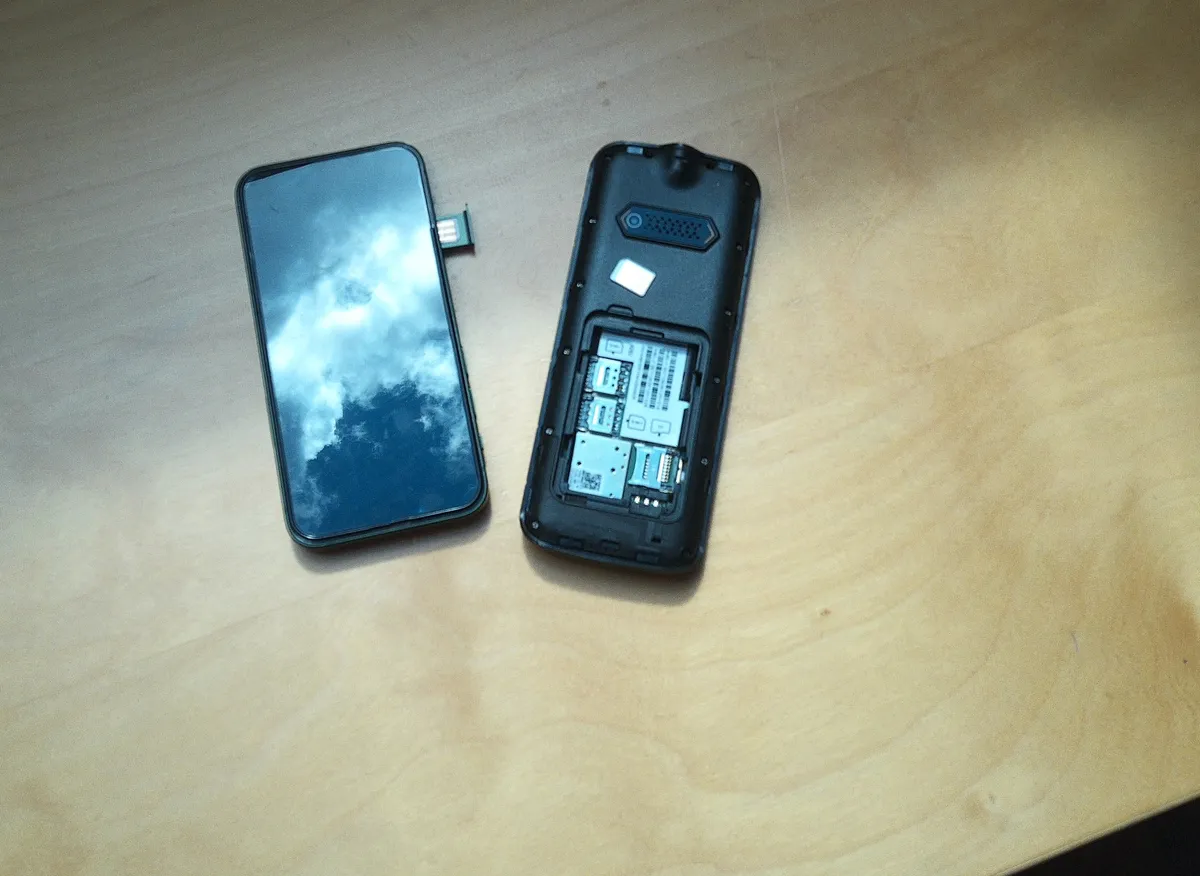 Smartphone and "landline phone" with integrated SIM cards.
Additionally, the desktop versions of Signal, WhatsApp, and iMessage do not require your cell phone to be connected to the internet. This effectively “integrates” my laptop with my smartphone for texting purposes while I’m home (with the exception of SMSs, which can only be received via the home-phone).
In addition to the four components necessary to implement this system on a material level, my pilot also requires a degree of interpersonal expectation management. I’ve started warning friends and family to use a phone call or SMS message for time-sensitive matters, so that they can reach me whether I’m in or out of the home.
How will it go? Stay tuned for my report back in part 2!
Text and uncited images by Adina. All non-original images cited in captions and footnotes.
Footnotes:
For more examples, see my article Smartphones aren’t cigarettes↩
See Kyle Raymond Fitzpatrick’s substack post: i miss the computer room :(↩
See Darbin Orvar’s blogpost: Introducing the Cyber Writer: A Distraction-Free Writing Experience↩